

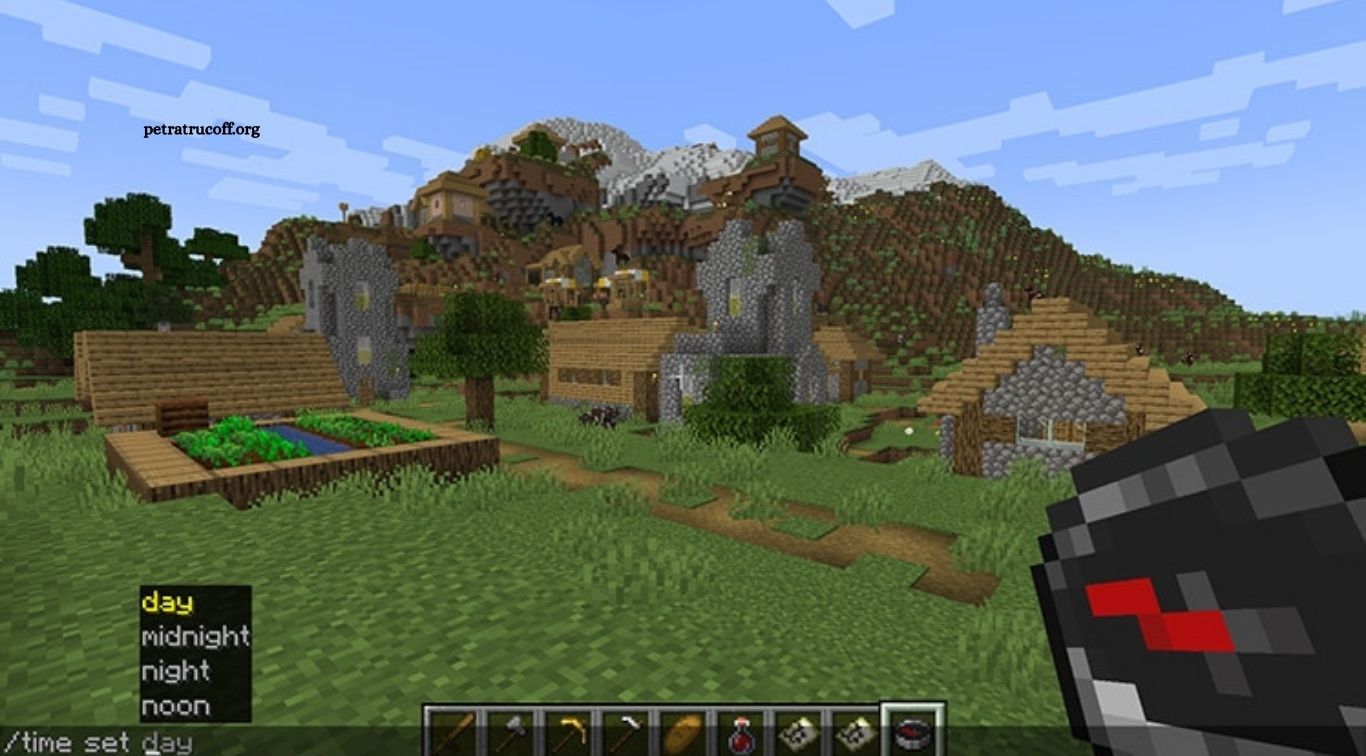
Minecraft is more than just a sandbox game where players mine blocks and build impressive structures. With the right Minecraft commands, players can control different parts of the game, change the environment, teleport to distant locations, manage inventories, and create unique gameplay experiences. Commands are especially useful for Creative players, server administrators, map makers, and anyone who wants more control over their Minecraft world.
Learning Minecraft commands does not require advanced technical knowledge. Most commands are easy to understand once players know what each one does and how its basic syntax works. Whether you are new to commands or looking to improve your Minecraft skills, knowing the most useful commands can save time and make gameplay much more enjoyable.
Read More: Best Minecraft House Designs for Inspiration
What Are Minecraft Commands?
Minecraft commands are special instructions that players enter through the in-game chat to perform specific actions. A command usually starts with a forward slash / and can control different elements of the game, including players, items, mobs, weather, time, locations, and world settings.
Commands can be particularly useful when normal gameplay becomes time-consuming. Instead of traveling thousands of blocks, collecting large amounts of resources, or manually changing an enormous area, players can use commands to complete certain tasks almost instantly. This makes commands valuable for both casual players and experienced Minecraft creators.
How to Use Commands in Minecraft
Using a Minecraft command is relatively simple. Players can open the chat window, type/, enter the desired command, and provide any required information. Minecraft usually provides command suggestions while typing, which helps players understand available commands and their required arguments.
Commands may require cheats or appropriate permissions depending on the Minecraft edition and the type of world being used. In single-player worlds, cheats generally need to be enabled, while multiplayer servers normally require players to have sufficient permissions. Players should also remember that some commands can permanently change a world, so testing unfamiliar commands in a separate world is a smart approach.
The /gamemode Command
The /gamemode command allows players to change between Minecraft’s available game modes. This makes it one of the most useful commands for players who regularly switch between Survival, Creative, Adventure, and Spectator gameplay.
For example, /gamemode creative can move a player into Creative mode, while /gamemode survival can return them to Survival mode. This command is especially helpful for builders who want to quickly switch between collecting resources and creating structures.
The /teleport Command
The /teleport command, commonly shortened to /tp, allows players to move instantly to another location. Minecraft worlds can be extremely large, so teleportation can save a considerable amount of time when traveling between distant bases, villages, builds, or other important locations.
Players can use coordinates with the teleport command to reach a precise position. For example, /tp 100 70 -200 moves the player to the specified coordinates when the command is permitted. Teleportation is also widely used by server administrators who need to move players to specific locations.
The /give Command
The /give command allows players to add items directly to an inventory. It removes the need to mine, craft, or search for a particular item, making it especially useful in Creative mode and testing environments.
A command such as /give @s diamond 10 can give the current player ten diamonds. The command can also be used with many other Minecraft items, making it useful for testing builds, experimenting with equipment, and creating custom maps.
The /time Command
Minecraft has a constantly changing day and night cycle, but players can control the time using the /time command. This can be helpful when building, recording gameplay, taking screenshots, or testing features that behave differently during the day and night.
Commands such as /time set day and /time set night allow players to change the world’s time quickly. Builders often use this feature when they need consistent daylight, while adventure map creators can use it to establish a specific atmosphere for their worlds.
The /weather Command
Weather adds atmosphere to Minecraft, but rain and thunderstorms can sometimes become inconvenient. The /weather command gives players control over weather conditions, allowing them to change or remove rain and thunderstorms.
Using /weather clear can create clear skies, while /weather rain can activate rainy conditions. This command is useful for builders who want better visibility and for creators who need specific weather conditions for screenshots, videos, maps, or role-playing experiences.
The /summon Command
The /summon command allows players to create mobs and other entities at a selected location. It is a powerful feature for experimenting with Minecraft mechanics and creating custom experiences.
Players can use a simple command such as /summon zombie to spawn a zombie at their location. More advanced versions of the command can provide additional information about the summoned entity, making /summon an important tool for map creators and command enthusiasts.
The /kill Command
The /kill command removes a targeted entity from the Minecraft world. Although it is a simple command, it can be useful when dealing with unwanted mobs, testing custom maps, or resetting certain situations.
Players should use /kill carefully because targeting options can affect more than the player using the command. Understanding Minecraft target selectors before using advanced versions of this command can help prevent accidental changes or unwanted entity removal.
The /locate Command
Exploring Minecraft naturally can be exciting, but finding a particular structure may sometimes take a long time. The /locate command helps players find certain generated structures or points of interest in the world.
Once Minecraft provides the relevant coordinates, players can use those coordinates to travel to the location or combine them with teleportation when appropriate. This makes /locate particularly helpful for players searching for important structures without spending hours exploring.
The /setworldspawn Command
The /setworldspawn command changes the world’s default spawn location. This is especially useful for multiplayer servers, adventure maps, and custom worlds where players need to begin their journey from a specific area.
Server owners can use this command to create a central spawn point near important facilities, shops, portals, or information areas. It also gives custom map creators greater control over how players enter and experience their worlds.
The /spawnpoint Command
The /spawnpoint command works differently from `/setworldspawn because it can establish a personal spawn location for a player. This can be extremely useful when exploring dangerous areas or creating custom challenges.
Setting a personal spawn point can reduce unnecessary travel after death. It is also useful in adventure maps and multiplayer experiences where players need to return to a particular location instead of relying on the world’s default spawn.
The /effect Command
The /effect command allows players to apply status effects to themselves or other entities. Minecraft effects can influence movement speed, strength, jumping ability, vision, mining, and several other gameplay mechanics.
This command provides plenty of creative possibilities. Builders and map creators can use effects to create special abilities, temporary challenges, unique player experiences, or custom game mechanics without relying entirely on traditional Minecraft progression.
The /enchant Command
The /enchant command allows players to apply supported enchantments to items without using a traditional enchanting setup. It can be useful when players want to test weapons, tools, armor, or other equipment quickly.
For Creative players and map makers, this command can significantly speed up testing. Instead of collecting experience and searching for the right enchantment, players can create the equipment they need and immediately test how it performs.
The /clear Command
The /clear command removes items from a player’s inventory. It can be useful when resetting a player’s equipment, preparing someone for a custom challenge, or removing unwanted items from an inventory.
Because this command can remove valuable resources, players should use it carefully. When working with more advanced command syntax, specifying the correct player and item can help prevent accidentally clearing an entire inventory.
The /fill Command
The /fill command is one of the most valuable Minecraft commands for large-scale building. It allows players to create, replace, or remove blocks across a defined area, making it possible to complete large sections of a build much faster.
Without commands, filling a huge area manually can take hours. With /fill, builders can quickly create floors, walls, foundations, arenas, tunnels, and other structures. Learning coordinates and basic block syntax can make this command even more powerful.
The /clone Command
The /clone command allows players to copy an existing area and place it somewhere else. This can save significant time when a Minecraft build contains repeated rooms, structures, patterns, or decorative sections.
For example, a player can create one detailed building section and duplicate it across a larger project. The command is especially useful for large Creative builds, custom maps, cities, and multiplayer projects where repeated structures are required.
The /gamerule Command
The /gamerule command allows players and server administrators to modify specific gameplay rules. These settings can influence different aspects of the Minecraft world, including certain mob behaviors, weather cycles, inventory behavior, and other mechanics.
One popular example is keepInventory, which can allow players to retain their items after death when the relevant gamerule is supported. Customizing gamerules gives players more control over how challenging or relaxed their Minecraft world feels.
The /difficulty Command
The /difficulty command changes the difficulty level of a Minecraft world. Depending on the edition and available settings, players can choose between Peaceful, Easy, Normal, and Hard difficulty.
Changing difficulty can help players customize their experience without creating a completely new world. Builders may prefer lower difficulty while working, whereas Survival players may increase the difficulty when they want stronger challenges and more dangerous gameplay.
The /seed Command
Every Minecraft world is generated using a specific seed. The /seed command allows players to view the seed associated with their current world when they have the necessary access.
A world seed can be useful when players want to share an interesting world with friends or recreate similar terrain. Minecraft players often use seeds to explore worlds with unusual landscapes, valuable structures, or interesting generation patterns.
Minecraft Commands for Creative Players
Creative players can benefit greatly from Minecraft commands because commands reduce the time required for repetitive tasks. Builders can quickly obtain blocks, change the time, remove large areas, teleport between locations, and test different designs without spending hours gathering resources.
Commands also make large projects more manageable. A massive castle, city, arena, or custom map can require thousands of blocks, and commands such as /fill and /clone can make repetitive construction much more efficient.
Minecraft Commands for Survival Players
Commands can also be useful in Survival mode, although using them may change the traditional survival experience. Players may use commands to locate structures, travel to distant areas, troubleshoot problems, or recover from situations caused by unexpected gameplay issues.
Players who want to preserve the challenge of Survival mode can use commands selectively. Learning commands does not mean they have to be used constantly; knowing when a command is helpful is just as important as knowing how the command works.
Minecraft Commands for Servers
Minecraft commands are an essential part of many multiplayer servers. Server administrators can use them to manage players, control world settings, teleport users, create events, and maintain custom gameplay systems.
Commands can also support custom mini-games, adventure maps, role-playing servers, and community events. However, powerful commands should only be given to trusted players because incorrect use can affect other players or permanently change parts of a shared world.
Tips for Learning Minecraft Commands
The easiest way to learn Minecraft commands is through regular practice. Start with simple commands such as /time, /weather, /gamemode, and `/teleport before moving toward more advanced commands involving coordinates, selectors, and command blocks.
Minecraft also provides useful command suggestions while players type. Taking time to understand command syntax, target selectors, coordinates, and available arguments can make advanced commands much easier to use. A separate test world is also a good place to experiment without risking an important survival world.
Why Minecraft Commands Are Worth Learning
Minecraft commands give players greater control over their worlds and can make many tasks faster and easier. They are useful for everyday gameplay, large construction projects, server management, custom maps, testing, and creative experiments.
More importantly, learning commands opens the door to advanced Minecraft mechanics. Once players become comfortable with basic commands, they can explore command blocks, target selectors, automated systems, and custom gameplay mechanics that can transform an ordinary Minecraft world into a unique experience.
Frequently Asked Questions
What is the most useful Minecraft command?
The /gamemode command is one of the most useful because it lets players quickly switch between different game modes.
How do I teleport in Minecraft?
Use the /teleport or /tp command followed by the required coordinates or player name.
Can I use Minecraft commands in Survival mode?
Yes, commands can be used in Survival mode when cheats are enabled or the player has the required server permissions.
How do I give myself items in Minecraft?
Use the /give command followed by the target player, item name, and quantity.
Which Minecraft command changes the weather?
The /weather command lets players change weather conditions, such as clearing rain or starting rain.
Are Minecraft commands available on every edition?
Commands are available in both major Minecraft editions, although command syntax and available features can differ between Java Edition and Bedrock Edition.
Conclusion
Minecraft commands make gameplay faster, easier, and more creative by giving players greater control over their worlds. From teleporting and changing game modes to managing weather, items, mobs, and large builds, these commands can save time and unlock new possibilities. Learning a few essential Minecraft commands is enough to improve your overall experience.

1 comentario
Pingback: How to Install Minecraft Mods Step by Step - PetraTrucoff