

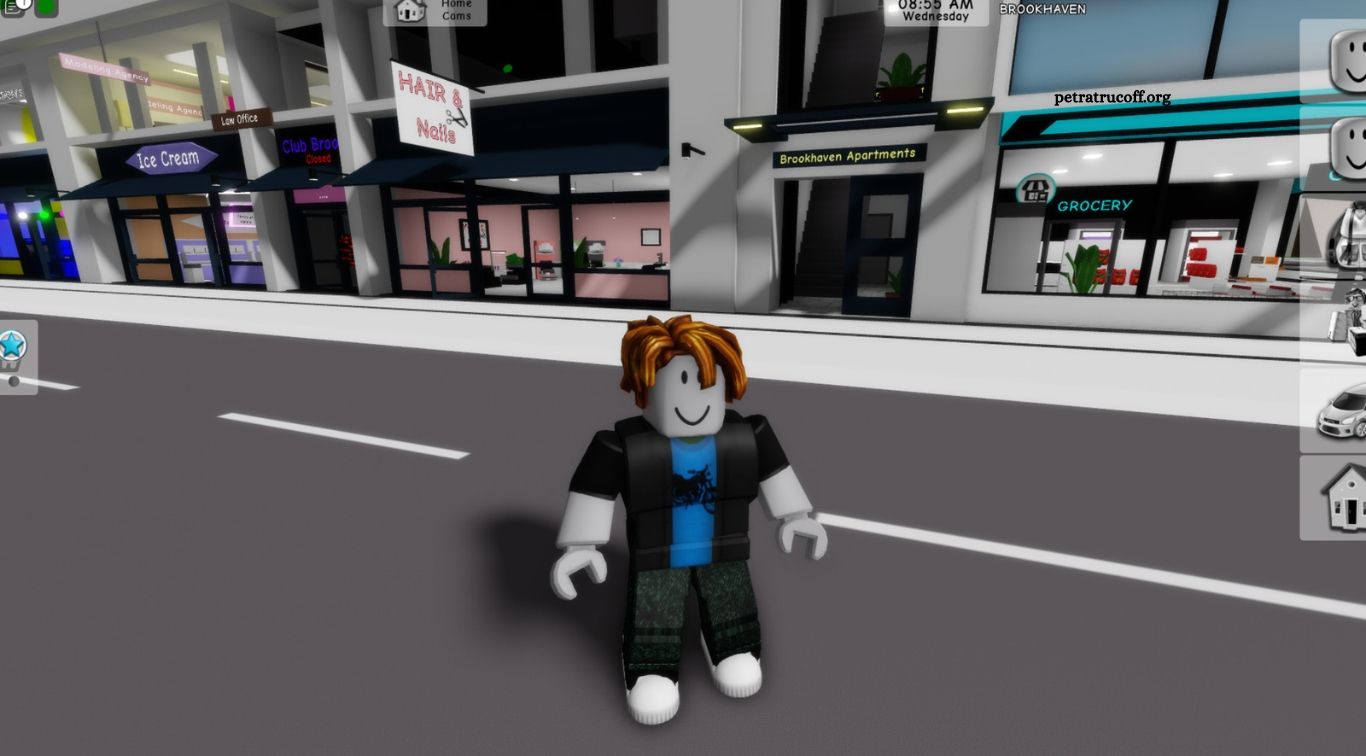
Roblox has become one of the most popular online gaming platforms, offering millions of experiences created by developers around the world. Players can explore virtual worlds, complete challenges, build amazing creations, play with friends, and customize their avatars. Whether you are completely new to Roblox or have spent years exploring its games, there is always something new to discover.
This ultimate Roblox guide for beginners and advanced players covers everything you need to know to enjoy the platform. From creating an account and finding popular games to improving gameplay, customizing avatars, understanding Robux, and exploring game development, these tips will help you make the most of your Roblox experience.
Read More: Common Roblox Mistakes New Players Should Avoid
What Is Roblox and How Does It Work?
Roblox is an online gaming platform where users can play experiences created by other players and developers. Unlike traditional games that offer a fixed set of levels, Roblox provides a large collection of interactive experiences, including adventure games, simulators, roleplaying worlds, obstacle courses, racing games, and multiplayer challenges. Users can access the platform through supported computers, smartphones, tablets, and gaming devices.
The platform also includes Roblox Studio, a development tool that allows creators to build their own experiences. Players can interact with other users, customize their avatars, and participate in different virtual activities. This combination of gaming, creativity, and social interaction makes Roblox more than a traditional video game.
How to Get Started With Roblox
Create Your Roblox Account
Getting started with Roblox is simple. Visit the official Roblox website or install the Roblox app on a supported device. Complete the registration process by providing the required information, choosing a username, and creating a secure password. Make sure your account details are accurate and avoid sharing personal information publicly.
After creating your account, explore the main dashboard to understand how the platform works. You can browse recommended experiences, search for specific games, check your avatar, and manage account settings. Beginners should spend some time exploring these features before joining more complicated multiplayer experiences.
Explore the Roblox Dashboard
The Roblox dashboard helps you discover games, connect with friends, and manage your account. Its recommendations may include experiences based on your activity, while the search feature lets you find games by name or category. You can also access your profile, avatar editor, messages, and other available features.
Take time to understand the menus and settings before playing regularly. Learning where to find privacy controls, account information, and game recommendations makes navigation easier. It also helps beginners manage their accounts more confidently as they become familiar with Roblox.
Best Types of Roblox Games to Explore
Roblox offers experiences for different interests and skill levels. Adventure games allow players to explore environments, complete missions, and discover hidden rewards, while simulator games focus on activities such as collecting resources, upgrading equipment, and progressing through different stages. Obstacle courses, commonly called obbies, challenge players with jumps, traps, and difficult platforms.
Roleplaying games let users create characters and participate in virtual communities, while strategy and survival experiences require planning and teamwork. Racing, sports, horror, and fighting games provide additional choices. Beginners can try several categories to discover what they enjoy most, while experienced players can explore challenging experiences that match their interests.
Essential Roblox Tips for Beginners
Learn the Basic Controls
Understanding the controls is one of the first steps toward improving your Roblox gameplay. On computers, many experiences use the keyboard for movement and the mouse for camera control or interaction. Mobile games generally provide touchscreen controls, while supported consoles use their respective controllers.
Controls can differ depending on the experience, so check the instructions before starting a new game. Practice movement, jumping, camera rotation, and interaction in a safe area. Becoming comfortable with the controls helps prevent mistakes and makes difficult challenges easier to complete.
Choose Games That Match Your Skill Level
Beginners should start with experiences that offer simple instructions, helpful tutorials, and manageable challenges. Easy obstacle courses, basic simulators, and beginner-friendly adventure games can help you understand common gameplay mechanics. Avoid choosing complicated experiences immediately if you are still learning how Roblox works.
As your skills improve, try games with more advanced missions, competitive features, or multiplayer objectives. Exploring different difficulty levels helps you develop better movement, timing, strategy, and problem-solving skills. It also makes your gaming experience more enjoyable over time.
Adjust Your Game Settings
Roblox experiences may offer different graphics, camera, audio, and control settings. Adjusting these options can improve comfort and performance, especially when playing on devices with limited hardware. Lower graphics settings may help reduce lag, while suitable camera controls can make movement easier.
You should also review your account privacy and communication settings. Roblox provides safety features that allow users to manage interactions and control certain account activities. Beginners should understand these options before joining public multiplayer experiences.
Advanced Roblox Tips for Experienced Players
Improve Your Gameplay Skills
Advanced players can improve by learning the mechanics of each experience rather than relying only on general gaming skills. Study movement techniques, map layouts, item locations, character abilities, and game-specific strategies. Understanding how different systems work can provide an advantage during difficult missions and competitive matches.
Practice consistently and review mistakes after challenging rounds. Experiment with different strategies, observe experienced players, and learn which techniques work best in particular situations. Small improvements in timing, movement, and decision-making can make a noticeable difference in performance.
Master Game-Specific Strategies
Every Roblox experience has its own rules, objectives, and progression systems. A strategy that works in a simulator may not be useful in a competitive fighting game or survival experience. Advanced players should study the mechanics of their favorite games and understand how equipment, upgrades, maps, and abilities influence gameplay.
Community guides and official game announcements can also help players understand updates and new features. However, always be careful with unofficial websites that promise free rewards or ask for account information. Reliable information and regular practice are better ways to develop advanced skills.
Play With Friends and Build Teams
Multiplayer experiences often become more enjoyable when players work together. Team-based games may require communication, shared objectives, coordinated movement, and strategic planning. Playing with friends can help you learn new techniques and complete challenges that are difficult to handle alone.
Experienced players can also join communities that focus on their favorite experiences. Look for groups with positive behavior and clear rules. Respect other players, avoid sharing personal information, and use Roblox’s reporting features if someone behaves inappropriately.
How to Customize Your Roblox Avatar
Avatar customization is one of the most recognizable features of Roblox. Players can change clothing, accessories, hairstyles, faces, animations, and other appearance options to create a unique character. The avatar editor allows users to explore available items and build different styles based on their preferences.
Some avatar items are free, while others may require Robux, Roblox’s virtual currency. Before purchasing anything, check the item’s price and make sure it fits your budget. You can also explore free catalog items to create attractive outfits without spending money.
Understanding Robux and the Roblox Marketplace
Robux is the virtual currency used across Roblox for eligible purchases. Players may use it to buy certain avatar items, access paid experiences, or purchase in-game products offered by individual creators. The available purchases depend on the experience and Roblox’s current marketplace rules.
Always obtain Robux through official Roblox purchasing options or authorized methods. Avoid websites, videos, and messages promising unlimited free Robux because many are designed to steal account information. Never share your password or verification codes to receive virtual currency or special rewards.
How to Create Your Own Roblox Game
Roblox Studio gives users the tools to create interactive experiences. Beginners can start with templates and learn how to place objects, design environments, add basic scripts, and test their projects. Understanding the interface and experimenting with simple building features is a useful first step toward game development.
As your knowledge improves, learn Lua scripting, game mechanics, user interface design, and level building. Start with a small project instead of trying to create a large game immediately. Testing your experience regularly and collecting feedback can help you improve its performance and make it more enjoyable for players.
Roblox Safety and Privacy Tips
Online safety is important for every Roblox player, especially younger users. Never share personal details such as your home address, phone number, passwords, or private account information with strangers. Use a strong, unique password and enable available account security features to reduce the risk of unauthorized access.
Players should also review privacy settings, use communication controls, and report inappropriate behavior. Parents and guardians can explore Roblox’s available parental controls to manage suitable experiences and communication options. Staying alert to suspicious links, fake giveaways, and impersonation attempts helps create a safer gaming environment.
Common Roblox Problems and How to Fix Them
Players may sometimes experience lag, connection problems, loading errors, or unexpected crashes. These issues can be related to internet speed, device performance, outdated applications, or temporary service problems. Restarting the app, checking the internet connection, and updating Roblox may help resolve common technical issues.
If a problem continues, check the official Roblox support resources for troubleshooting guidance. Avoid downloading unofficial software that claims to improve performance or unlock restricted features. Keeping your device updated and using trusted applications can help prevent many avoidable problems.
Frequently Asked Questions
Is Roblox Free to Play?
Yes, Roblox is free to join and offers many free experiences. Some games, avatar items, and in-game features may require Robux.
Can Beginners Play Roblox Easily?
Yes, beginners can start with simple experiences and learn the controls gradually. Many games provide tutorials and helpful instructions.
What Is Robux Used For?
Robux is Roblox’s virtual currency. It can be used for eligible avatar items, paid experiences, and certain in-game purchases.
Can I Play Roblox With Friends?
Yes, Roblox supports multiplayer experiences where users can join friends, communicate through available features, and complete activities together.
How Can I Create My Own Roblox Game?
You can use Roblox Studio to build experiences, design environments, and add scripts. Beginners can start with templates and simple projects.
Is Roblox Safe for Children?
Roblox provides privacy settings, parental controls, and reporting tools. Parents should review these features and help children follow safe online habits.
Conclusion
Roblox offers an exciting combination of gaming, creativity, social interaction, and game development. Beginners can start by creating an account, exploring different experiences, learning basic controls, and understanding safety settings. Advanced players can improve their skills through practice, game-specific strategies, teamwork, and creative projects. The best way to enjoy Roblox is to explore at your own pace and choose experiences that match your interests.

1 comentario
Pingback: FC Mobile Stamina Guide: Best Tips to Manage Energy and Improve Gameplay - PetraTrucoff