

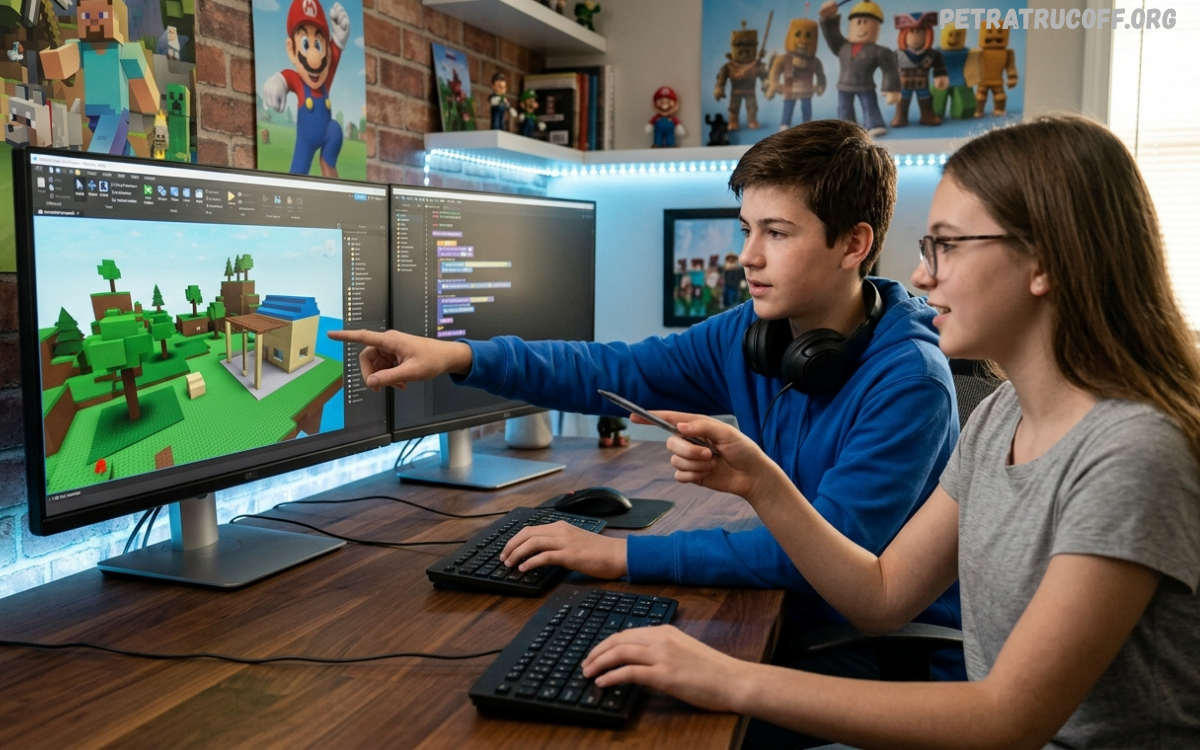
Roblox game creation refers to the process of designing, developing, testing, and publishing interactive experiences through the Roblox platform. Creators can construct environments, place objects, develop gameplay mechanics, design interfaces, add sound effects, create progression systems, and build multiplayer features. Each component contributes to the overall experience presented to players.
Unlike traditional game development workflows requiring several separate programs, Roblox provides many development features within Roblox Studio. Creators can build environments, write scripts, test gameplay, manage assets, and prepare experiences for publication through an integrated workflow.
Getting Started With Roblox Studio
Roblox Studio is the central development environment used for creating Roblox experiences. After opening Studio, creators can start with a template or create a new project from an empty base. Templates can help beginners understand common structures, while an empty project provides greater creative control.
The Studio interface contains several important panels and tools. The Explorer panel displays objects contained within the experience, while the Properties panel allows creators to modify object settings. The viewport provides the main area for building environments, and the scripting editor allows developers to create gameplay logic. Understanding these tools is an important early step in Roblox game creation.
Choosing a Strong Game Idea
A successful Roblox experience begins with a clear concept. Before building hundreds of objects, creators should determine what players will actually do during gameplay. A strong concept can focus on exploration, competition, simulation, survival, racing, role-playing, strategy, adventure, or another interactive format.
The concept should also contain a simple gameplay loop. For example, players might enter an environment, complete objectives, earn rewards, unlock improvements, and repeat the process with increasing challenges. A clear gameplay loop helps maintain player interest and gives creators a practical framework for development.
Planning Your Roblox Game
Planning prevents unnecessary development work. Before opening Roblox Studio, create a basic design document describing the game objective, player activities, major features, progression system, environment style, and potential challenges. The document does not need to be complicated. A simple outline can provide enough direction for a first project.
Break the project into manageable stages. Start with the core gameplay mechanic before adding secondary features. For example, an obstacle experience should first have functional movement, obstacles, checkpoints, and completion conditions. Cosmetic features, advanced interfaces, special effects, and additional content can come later.
Building the Game Environment
Environment design plays a major role in the overall quality of a Roblox experience. Buildings, roads, platforms, terrain, decorations, lighting, and interactive objects establish the visual identity of the game. A well-organized environment also helps players understand where they should move and what they should interact with.
Beginners should avoid building enormous maps immediately. A smaller, polished environment is often more effective than a massive unfinished world. Focus on clear pathways, recognizable landmarks, appropriate spacing, and consistent visual design. Once the basic environment works correctly, additional areas can be introduced through future updates.
Understanding Roblox Parts
Parts are fundamental building elements within Roblox Studio. Creators can use basic shapes to construct platforms, walls, floors, structures, obstacles, and decorative objects. Properties such as size, position, material, transparency, and collision behavior can be adjusted to create different gameplay elements.
Learning how parts interact with one another helps beginners build more efficiently. Organized naming and grouping also become increasingly important as projects grow. A clean hierarchy allows creators to locate objects quickly and reduces confusion when scripts interact with specific components.
Learning Lua Scripting
Programming is one of the most valuable skills in Roblox game creation. Roblox uses Luau, a scripting language derived from Lua, to control gameplay behavior. Scripts can manage doors, checkpoints, rewards, enemies, timers, inventories, quests, leaderboards, and numerous other systems.
Beginners should start with fundamental programming concepts. Variables, functions, conditional statements, loops, events, tables, and object references provide the foundation for more advanced systems. Learning these concepts gradually is more effective than copying complicated scripts without understanding their purpose.
Creating Interactive Gameplay
Interactivity transforms a static environment into an actual game. A door can open when a player approaches it, a button can activate an elevator, an obstacle can create a challenge, or an item can provide a reward. These interactions are usually controlled through scripts and Roblox events.
When designing interactive systems, consider player feedback. Players should understand when an action succeeds or fails. Visual effects, sounds, animations, interface messages, and other feedback mechanisms can communicate gameplay results clearly without overwhelming the player.
Designing Player Progression
Progression gives players reasons to continue playing. Experience points, levels, achievements, unlockable areas, collectible items, quests, and upgrades can create a sense of advancement. A progression system should feel understandable and rewarding while maintaining a reasonable difficulty curve.
Effective progression begins with simple goals and gradually introduces more demanding objectives. Players should understand what they can unlock and how their actions contribute toward future rewards. Clear progression can improve retention by giving players meaningful short-term and long-term objectives.
Creating User Interfaces
A professional Roblox experience needs a clear user interface. Menus, buttons, status displays, inventory panels, maps, quest information, and reward notifications help players understand the game. Poor interface design can make even strong gameplay difficult to enjoy.
Keep interfaces organized and readable. Important information should remain easy to find, while unnecessary elements should not dominate the screen. Consistent typography, spacing, icons, and button placement can create a more polished experience.
Adding Sound and Music
Audio contributes significantly to immersion. Background music can establish atmosphere, while sound effects can provide feedback for actions such as jumping, collecting items, completing objectives, or interacting with objects.
Audio should support gameplay rather than become distracting. Use appropriate volume levels and provide settings that allow players to control audio preferences. Creators should also ensure that audio assets are used legally and comply with platform requirements.
Using Animations
Animations can make characters and objects feel more responsive. Character movements, environmental effects, interface transitions, and interactive objects can benefit from carefully designed animation.
Animation should have a clear purpose. Excessive movement can distract players, while subtle animations can make environments feel more alive. Smooth transitions are especially useful for menus, doors, elevators, rewards, and other interactive systems.
Testing Your Roblox Game
Testing is one of the most important stages of Roblox game creation. A game that works during development can behave differently when multiple players interact with it. Regular testing helps identify gameplay problems, scripting errors, performance issues, and confusing mechanics.
Test individual features before combining them into larger systems. After major changes, run the experience again and verify that existing functionality remains stable. Testing with different player situations can reveal problems that are difficult to notice during development.
Fixing Common Bugs
Bugs can appear when scripts reference incorrect objects, events execute unexpectedly, values are calculated incorrectly, or systems conflict with one another. Developers should approach bugs methodically instead of changing multiple sections simultaneously.
Start by identifying exactly what is failing. Check error messages, inspect relevant scripts, verify object names, and reproduce the problem consistently. Making one controlled change at a time makes troubleshooting easier and helps developers understand the underlying issue.
Optimizing Roblox Games
Performance is essential for a positive player experience. Large numbers of objects, inefficient scripts, excessive effects, poorly optimized assets, and unnecessary calculations can affect performance. Optimization should therefore be considered throughout development rather than only before publication.
Creators can improve performance by simplifying environments, organizing assets efficiently, reducing unnecessary processing, and testing on different hardware conditions. A visually impressive experience still needs to remain responsive for players using less powerful devices.
Designing for Mobile Players
Roblox experiences can attract players using computers, tablets, and mobile devices. Touch controls introduce different interaction requirements compared with keyboard and mouse controls. Buttons should be large enough to use comfortably, and essential actions should remain accessible.
Test the experience using different screen sizes and control methods. Interfaces that appear excellent on a desktop display may become difficult to use on smaller screens. Mobile-friendly design can significantly improve accessibility and overall usability.
Multiplayer Game Development
Multiplayer functionality can make Roblox experiences highly engaging. Developers can create cooperative objectives, competitive matches, trading systems, team-based gameplay, social hubs, and other multiplayer mechanics.
Network-related systems require careful development because player actions can occur simultaneously. Important game logic should be designed with security and consistency in mind. Developers should also test experiences with multiple players rather than relying exclusively on solo testing.
Creating Checkpoints
Checkpoints are useful in obstacle courses, adventure games, racing experiences, and other progression-based projects. A checkpoint can record player progress and allow players to continue from a previous location after failing a challenge.
A good checkpoint system should provide clear feedback. Players should know when a checkpoint has been activated and understand where they will return after a failed attempt. This prevents unnecessary frustration during challenging sections.
Building a Reward System
Rewards can encourage players to complete objectives and explore the game. Rewards may include experience, achievements, cosmetic items, unlockable areas, or other in-game progression elements.
Reward systems should support the core gameplay rather than replace it. Players should feel that rewards are connected to meaningful activities. Well-designed rewards can make progression more satisfying while maintaining a balanced experience.
Creating a Roblox Game Economy
Some experiences use virtual economies involving currencies, upgrades, items, or trading systems. Economy design requires careful planning because excessive rewards can reduce the value of progression, while overly restrictive systems can make gameplay frustrating.
Creators should define how players earn and spend resources. Monitor how quickly currencies enter the economy and how frequently players use them. Regular balancing can prevent inflation and maintain meaningful progression.
Improving Game Visuals
Visual quality does not always require extremely complicated assets. Consistency, composition, lighting, spacing, and environmental storytelling can make a simple environment feel professional.
Choose a recognizable visual direction and maintain it throughout the experience. Mixing unrelated styles can make a game appear unfinished. A consistent art direction helps players understand the identity of the experience.
Using Lighting Effectively
Lighting can influence atmosphere, visibility, and visual presentation. Bright lighting may suit colorful adventure environments, while darker lighting can create mystery or tension.
Lighting should always support gameplay readability. Important paths, objectives, and interactive objects should remain visible. Avoid effects that reduce visibility or create unnecessary visual distractions.
Managing Roblox Assets
Assets can accelerate development by providing reusable models, sounds, images, and other components. However, creators should carefully review assets before adding them to a project.
Use trusted resources and understand what each asset contains. Unnecessary scripts or poorly constructed components can introduce security, performance, or compatibility problems. Keeping the project organized also makes future updates easier.
Building a Team
Larger Roblox projects can benefit from collaboration. Builders can focus on environments, programmers can develop systems, designers can create interfaces, and audio specialists can manage sound.
Clear responsibilities help teams avoid duplicated work. Establish naming conventions, communication practices, project goals, and testing procedures before development becomes complex. Even a small team benefits from organized collaboration.
Publishing a Roblox Experience
After testing and polishing, creators can prepare an experience for publication. A strong title, recognizable thumbnail, informative description, and appropriate categorization can help players understand the game before launching it.
The published version should represent the quality of the experience. Test the final build, review settings, verify interfaces, and ensure that essential systems work correctly. Publishing should be treated as the beginning of community feedback rather than the final stage of development.
Creating an Attractive Game Thumbnail
The thumbnail is often one of the first visual elements players see. It should communicate the game’s concept quickly through recognizable characters, environments, objects, or action.
Avoid overcrowding the image with unnecessary elements. A strong composition with a clear focal point can make an experience easier to recognize. Consistent visual branding across thumbnails and promotional materials can also help establish a memorable identity.
Writing a Strong Game Description
A game description should quickly explain the experience. Mention the primary gameplay, major features, progression elements, and reasons players may want to try it.
Keep the description readable and focused. Avoid making promises that the game does not deliver. Honest descriptions help establish accurate player expectations and reduce confusion.
Updating a Roblox Game
Regular updates can keep an experience fresh. New maps, challenges, items, quests, features, events, and quality improvements can provide players with additional reasons to return.
Updates should prioritize meaningful improvements instead of adding features simply for quantity. Monitor player feedback and identify the areas that provide the greatest value. A consistent development cycle can help maintain long-term interest.
Read Also: Roblox Studio Guide: Guía Completa para Crear Juegos en Roblox
Listening to Player Feedback
Players can reveal problems developers may overlook. Feedback can identify confusing mechanics, difficult controls, repetitive gameplay, interface problems, or requested features.
Not every suggestion should be implemented. Instead, look for recurring patterns across feedback. If many players report the same issue, it may indicate a genuine design problem worth investigating.
Marketing a Roblox Game
Creating an excellent experience is only part of successful Roblox game creation. Players need to discover the game. Developers can promote experiences through social communities, videos, creator networks, updates, and other appropriate promotional channels.
Marketing should focus on accurately showing the gameplay experience. Short demonstrations, screenshots, feature explanations, and update announcements can help potential players understand what makes the game interesting.
Common Roblox Game Creation Mistakes
Beginners often attempt to build too much too quickly. A project containing dozens of systems can become difficult to manage before the creator understands the fundamentals. Starting with a small playable prototype provides a stronger learning experience.
Another common mistake is focusing heavily on visuals before gameplay works. Beautiful environments cannot compensate for unclear objectives or repetitive mechanics. Build the core gameplay first, test it, and then improve presentation.
How to Learn Roblox Development Faster
Practice is one of the most effective ways to improve. Instead of only watching tutorials, recreate small systems independently. Build a simple door, checkpoint, timer, inventory, leaderboard, or collectible system and study how each component works.
Documentation and experimentation are also valuable. When encountering an unfamiliar concept, research its purpose and test it in a small project. Gradually combining small systems can lead to a much deeper understanding of Roblox development.
A Practical Roblox Game Creation Workflow
A reliable workflow begins with an idea, followed by planning, prototyping, development, testing, optimization, and publication. Each stage has a specific purpose and reduces the risk of major problems later.
Start with a minimum playable version. Add only the essential mechanics required to demonstrate the concept. Once the prototype is enjoyable, expand the environment, progression, interface, audio, visual effects, and additional content.
Future Opportunities in Roblox Development
Roblox development can teach valuable skills related to programming, 3D design, user experience, project management, problem-solving, and digital creativity. These skills can also transfer to other areas of technology and game development.
As creators gain experience, they can move from simple projects toward larger multiplayer experiences, advanced systems, detailed environments, and collaborative development. Continuous learning is essential because development techniques and platform capabilities continue to evolve.
Preguntas frecuentes
¿Qué es Roblox Game Creation?
Roblox Game Creation es el proceso de diseñar, desarrollar, probar y publicar experiencias dentro de Roblox. Los creadores pueden construir mapas, añadir personajes, desarrollar sistemas de juego, crear interfaces y programar diferentes funciones mediante Roblox Studio.
¿Qué programa necesito para crear un juego de Roblox?
Para comenzar necesitas Roblox Studio, la herramienta principal utilizada para desarrollar experiencias en Roblox. Permite construir escenarios, insertar objetos, crear scripts, probar funciones y preparar un juego para su publicación.
¿Necesito saber programación para crear un juego en Roblox?
No necesitas conocimientos avanzados para comenzar. Sin embargo, aprender Luau, el lenguaje utilizado por Roblox, puede ayudarte a crear sistemas más completos, como recompensas, checkpoints, inventarios, misiones y diferentes mecánicas de juego.
¿Es difícil crear un juego en Roblox?
Roblox Game Creation puede ser sencillo para proyectos básicos, mientras que los juegos avanzados requieren más conocimientos. Comenzar con un proyecto pequeño permite aprender gradualmente construcción, diseño, scripting, pruebas y optimización.
¿Puedo crear un juego de Roblox desde cero?
Sí. Puedes comenzar con un proyecto vacío en Roblox Studio y construir el mapa, los objetos, las mecánicas y los sistemas desde cero. Esta opción ofrece mayor control sobre el diseño y la experiencia final.
¿Qué lenguaje de programación utiliza Roblox?
Roblox utiliza Luau, un lenguaje basado en Lua. Se utiliza para controlar diferentes comportamientos del juego, incluyendo interacciones, sistemas de puntuación, objetos, personajes, recompensas y otras funciones.
¿Cómo puedo mejorar mi juego de Roblox?
Puedes mejorar tu juego mediante pruebas frecuentes, mejores diseños de niveles, interfaces claras, sistemas de progresión, efectos de sonido, animaciones y optimización del rendimiento. Las opiniones de los jugadores también pueden ayudarte a identificar problemas.
¿Cómo puedo probar mi juego antes de publicarlo?
Roblox Studio incluye herramientas de prueba que permiten ejecutar una experiencia durante el desarrollo. Puedes probar diferentes funciones, detectar errores y comprobar cómo funcionan los sistemas antes de publicar el proyecto.
¿Puedo crear juegos multijugador en Roblox?
Sí. Roblox permite desarrollar experiencias multijugador con funciones cooperativas, competitivas, equipos, sistemas sociales y diferentes actividades para varios jugadores. Los sistemas multijugador requieren pruebas adicionales para garantizar un funcionamiento correcto.
¿Cómo publico mi juego de Roblox?
Después de completar y probar tu experiencia, puedes utilizar las opciones de publicación disponibles en Roblox Studio. Antes de hacerlo, revisa el título, descripción, configuración, imágenes y funcionamiento general del proyecto.
¿Cómo puedo conseguir más jugadores para mi juego?
Puedes mejorar la visibilidad mediante un título claro, una buena descripción, imágenes atractivas, actualizaciones frecuentes y promoción mediante comunidades y contenido relacionado con Roblox. La calidad y originalidad del juego también son importantes para conseguir jugadores recurrentes.
¿Puedo actualizar mi juego después de publicarlo?
Sí. Los desarrolladores pueden continuar mejorando sus experiencias después de publicarlas. Puedes añadir nuevos mapas, funciones, desafíos, elementos visuales y correcciones para mantener el juego actualizado.
¿Cuál es la mejor manera de aprender Roblox Game Creation?
La mejor forma de aprender es combinar tutoriales, documentación y práctica. Comienza creando proyectos pequeños y aprende gradualmente construcción, Luau, diseño de interfaces, sistemas de juego, pruebas y optimización.
Conclusion
Roblox game creation provides a practical path for turning creative ideas into interactive experiences. Roblox Studio gives creators tools for building environments, scripting gameplay, designing interfaces, testing systems, and publishing projects. Beginners can start with simple concepts and gradually develop the technical and creative skills required for more advanced experiences.
The strongest approach is to focus on gameplay first, learn scripting fundamentals, test frequently, optimize performance, listen to player feedback, and improve through regular updates. With patience and consistent practice, Roblox game creation can become a rewarding creative and technical journey for developers at many skill levels

1 comentario
Pingback: Roblox Creator Tools: Guía Completa para Crear Experiencias en Roblox- PetraTrucoff