

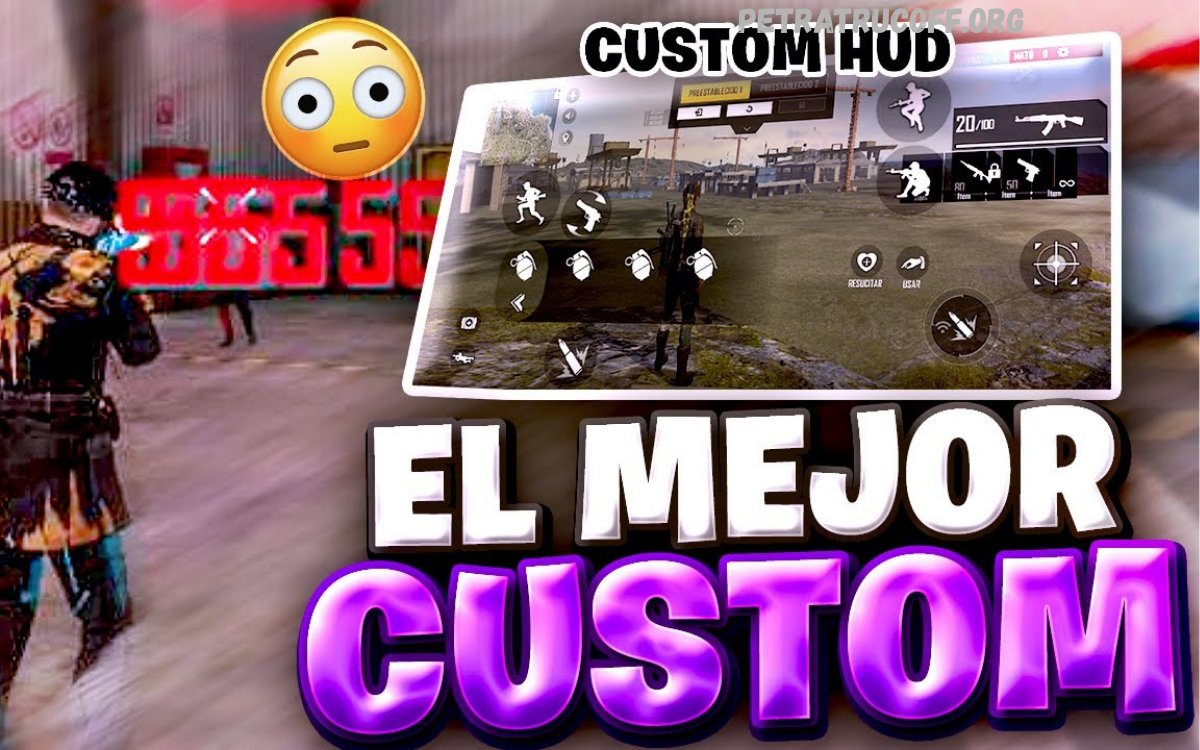
Free Fire se ha consolidado como uno de los juegos de batalla real más populares a nivel mundial, capturando la atención de millones de jugadores gracias a su dinamismo, partidas rápidas y amplio repertorio de armas y estrategias. Para quienes recién comienzan, dominar los controles de Free Fire representa el primer paso fundamental hacia un rendimiento competitivo.
Esta guía completa sobre controles de Free Fire para principiantes ofrece un enfoque profesional y estructurado para que los nuevos jugadores puedan adaptarse rápidamente a la interfaz del juego y maximizar su eficacia en cada partida.
Basic On-Screen Controls
Movement
- Left Joystick: Moves the character in all directions. Beginners should practice smooth, controlled movement.
- Sprint Function: Enables rapid repositioning, crucial during encounters with multiple opponents.
Camera and Aim
- Right-Side Touch/Drag: Controls camera rotation and aiming. Consistent hand positioning ensures accurate tracking of enemies.
- Free Look: Allows camera movement without changing character orientation. Ideal for scouting surroundings safely.
Combat Controls
- Fire Button: Shoots the equipped weapon. Beginners benefit from enabling “Always” mode for constant availability.
- Aim/Scope Button: Switches to precise aiming mode for rifles and sniper weapons.
- Jump, Crouch, Prone Buttons: Essential for dodging, avoiding gunfire, and maintaining tactical positioning.
- Reload Button: Quickly replenishes ammunition, critical during prolonged engagements.
Recommended Control Settings for Beginners
Beginners require simplified setups to reduce complexity while maximizing efficiency. Recommended settings include:
- Aim Precision: Default, offering balance between accuracy and movement flexibility.
- Left Fire Button: Always visible for rapid firing.
- Quick Weapon Switch: Enabled to streamline combat transitions.
- Quick Reload: Activated for faster response during gunfights.
- Hold Fire to Scope: Ensures automatic scope engagement during aiming.
- Auto-Parachute: Simplifies landing mechanics, ideal for initial game stages.
- Run Mode: Classic or Mixed allows sustained sprint without continuous input.
- Free Look: Enabled to enhance situational awareness.
- Auto Switch Gun: Ensures immediate weapon selection when primary ammo depletes.
- Vehicle Controls: Two-handed for precise maneuvering in cars or bikes.
These settings prevent beginners from being overwhelmed and allow focus on strategic decision-making.
Read Also: Guía Profesional de Configuración de Sonido para Free Fire
Sensitivity Settings
Proper sensitivity significantly affects aiming accuracy and control comfort. Beginners benefit from moderate values:
- General Sensitivity: 90–100, balancing fast movement and aiming precision.
- Red Dot Sensitivity: 80–95; suitable for close-to-mid-range engagements.
- 2× Scope Sensitivity: 75–85 for controlled long-range shots.
- 4× Scope Sensitivity: 75–85, ensuring stability during mid-to-long-range combat.
- Sniper Scope Sensitivity: 35–45, providing precise aim for long-distance targets.
- Free Look Sensitivity: Approximately 80, allowing smooth camera rotation while maintaining orientation.
Beginners should test settings in training mode, adjusting gradually based on comfort and aiming style.
HUD Layout Optimization
Customizing the HUD improves accessibility and reduces finger travel distance, enhancing reaction time.
Recommended Beginner Layout
- 2-Finger Layout: Left side for movement, right side for shooting, aiming, and basic actions.
- Fire Button Position: Should be reachable without lifting thumbs from controls.
- Essential Utility Buttons: Medkits, grenades, and gloo walls should be placed near thumbs for quick access.
Transition to Advanced Layout
- 3-Finger Setup: Introduces dedicated buttons for fire, jump, and crouch simultaneously, increasing combat efficiency.
Practical Techniques for Beginners
Drag Shooting
Beginners often struggle with recoil and aiming accuracy. Drag shooting, moving the fire button upward while firing, stabilizes shots and increases headshot probability.
Strafing During Combat
Continuous movement left and right while shooting makes the player a more challenging target, reducing damage taken during engagements.
Training Mode
Practicing in training mode helps develop muscle memory for aiming, shooting, and movement. Beginners can test sensitivity, HUD placement, and weapon recoil patterns without risk of elimination.
Auto Pickup Strategy
Enable auto pickup for weapons and ammo to reduce micro-management during initial looting. Focus on positioning and enemy awareness during early gameplay.
Advanced Beginner Settings
As familiarity grows, beginners can enhance comfort and performance:
- Drag-Shoot Size and Opacity: Enlarging the fire button slightly and making it semi-transparent improves aiming comfort.
- Custom HUD Arrangement: Position medkits, grenades, and gloo walls near natural thumb placement for faster utility use.
- Gesture Integration: Using swipe gestures for prone, crouch, or jump can accelerate response times.
Combat Tips for Beginners
- Prioritize Headshots: Aim for the head whenever possible to maximize damage.
- Keep Moving: Avoid standing still during firefights; movement reduces vulnerability.
- Weapon Familiarity: Focus on mastering a few weapons before using multiple types.
- Safe Looting: Avoid open areas during looting. Use cover and monitor surroundings.
- Map Awareness: Constantly check mini-map and listen to audio cues for approaching enemies.
Frequently Asked Questions
Should I use a 2-finger or 3-finger layout?
Start with a 2-finger layout; upgrade to a 3-finger layout for faster combat as you improve.
How do I practice aiming effectively as a beginner?
Use training mode to practice drag shooting, recoil control, and headshot targeting.
What is the best way to customize the HUD for beginners?
Place essential buttons, such as fire, medkits, grenades, and gloo walls, within easy reach of your thumbs.
Is free valuable for beginners?
Yes, it allows camera movement without changing character orientation, improving situational awareness.
How can I improve survival in early-game fights?
Move constantly, use cover, avoid open areas, and loot strategically.
What is drag shooting, and why is it important?
Drag shooting stabilizes aim while firing, making it easier to hit moving targets and headshots.
How do I transition from beginner to advanced controls?
Gradually adopt 3-finger HUD, customize button placement, adjust sensitivity, and practice advanced combat techniques.
Conclusion
Mastering Free Fire controls for beginners requires understanding movement, aiming, shooting, and utility management. Optimized control settings, moderate sensitivity, strategic HUD layout, and practical combat techniques accelerate skill development. Beginners should focus on training mode, repetitive practice, and gradually adopting advanced layouts. Over time, consistent practice transforms basic knowledge of Free Fire controls into competitive mastery.
By following this guide, beginners gain a strong foundation that improves gameplay efficiency, reaction times, and survival chances during matches. Proper controls, combined with strategy and awareness, determine success in Free Fire battles.
