

Have you ever set up an SSL certificate on a website? Hosting providers, browsers, and website managers do: but what do they actually mean by SSL? It helps to understand their concerns, because in most cases SSL is just a series of insecure old encryption standards with a new name.
The distinction may not seem important, but buying a certificate is only half the work: your server software needs to support modern TLS ciphers as well.
What Is SSL?
Secure Sockets Layer (SSL) is a set of encryption standards, developed to protect information transmitted between browsers and servers. Without encryption, an eavesdropper could see all the data being transferred, and would be able to steal passwords and private messages. SSL encryption made it significantly harder to intercept requests and responses. This was especially important for commercial websites, which started to handle credit card information. However, SSL 2.0 and 3.0 — the first two encryption standards — were later found to be insecure.
Modern browsers and servers should stop supporting these two. Nevertheless, the name persists: websites that use HTTPS are still sometimes called ‘SSL-enabled’. It is correct to say that an HTTPS certificate has been installed for such a site.
What Is TLS?
Transport Layer Security (TLS) encryption is the successor to SSL. TLS 1.0 and 1.1 have been deprecated by IETF, and TLS 1.2 and 1.3 are currently the strongest and most-supported standards. A TLS connection allows a client (a browser) to authenticate a server,encrypt information exchanged between a browser and the site, and finish handshakes faster (this depends on the TLS version).
TLS is actively used on modern websites: if an SSL certificate is indeed needed, that means the server uses TLS or another encryption standard. It is important to note that TLS has undergone significant changes with each version update. TLS 1.3, for instance, removed some of the older, insecure encryption algorithms, and optimized connection opening to reduce latencies.
SSL vs TLS: What’s the Main Difference?
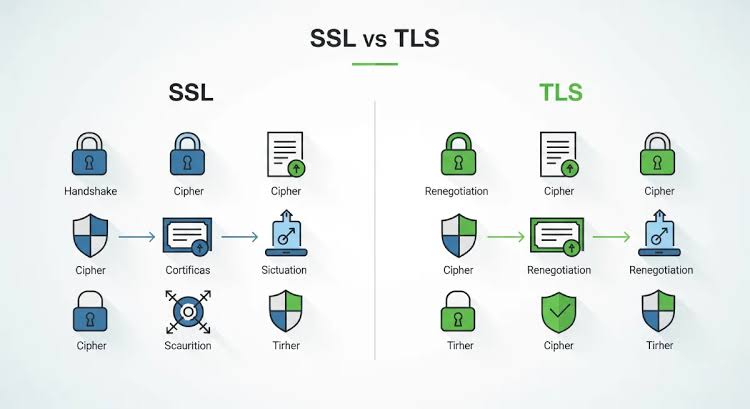
SSL encryption is insecure, and should only be used in legacy projects. TLS is a modern standard, which was developed as a replacement for SSL. The main practical difference between the two is that TLS provides much better protection than SSL. Another difference is that TLS has several currently supported versions, and SSL encryption has none.
The rest of the differences are mostly connected to SSL/TLS versions in use, and what level of security the website actually has. For example, TLS 1.3 is much more optimized for high-latency environments than previous versions of TLS. A properly configured TLS server does not allow connections with insecure ciphers suites and protocols. When using HTTPS, TLS certificates should normally come from trusted certificate authorities.
| Feature | SSL | TLS |
| Full name | Secure Sockets Layer | Transport Layer Security |
| Current status | Obsolete | Current standard |
| Security | Known vulnerabilities | Stronger security |
| Recommended versions | None | TLS 1.2 and TLS 1.3 |
| Modern HTTPS use | Not recommended | Recommended |
How Does TLS Protect a Website?
This is probably not the easiest explanation of TLS, but for once the basics are important. Let’s take a real-world example website: assume that Bob is browsing the site, and wants to fill in a registration form. Such a form typically asks the user for an email address to confirm their account. That information needs to be encrypted, because it is private: if an attacker gains access to that data, they could use it to hack into the site or Bob’s email.
When Bob’s browser connects to the server to fill this form, a TLS handshake takes place. First, the browser and the server find a subset of encryption algorithms that they both support. Then, the server will send over its digital certificate, and the browser checks that this certificate is legitimate: among other things, it should ask for the domain name, and make sure that it matches the website Bob is currently visiting. If any of this goes wrong, the browser will display a warning message to the user.
With this information, the browser can establish a shared set of keys with the server. TLS is now open: data can be transmitted and received. On the server side, that form data can now be stored securely in a database, and Bob can log on to his new account.
While this is a very basic example of how TLS works, it shows why encryption makes sense to use. At the same time, TLS isn’t a magical shield: it doesn’t protect the server from viruses, phishing, insecure plugins, and other attacks.
Are There SSL Certificates?
Yes, but the name is misleading. When an SSL certificate is needed for a website, it could refer to a wide variety of digital certificates, created by many different certificate authorities. A certificate usually contains information about a domain name and the public key, and is signed by a trusted authority: during the TLS handshake, the browser uses this information to find out if it’s connecting to the right server. Certificates usually come with a specific expiry date, after which they should be renewed.
Certificates have limited support for server-side programming languages, making it challenging to create applications that use TLS encryption. Some people may want to set up their own certificates: in many cases, it is possible to let a hosting server manage certificates automatically. Website owners can install an SSL certificate using command line instructions. At the same time, certificate deployment is only a minor part of the overall task: website owners need to configure the TLS server, and choose the right ciphersuite. This, in turn, may be necessary to determine what SSL/TLS versions should be supported.
Why the Difference Matters for Website Owners
In many cases, website owners aren’t interested in the technical details of TLS configuration. For small business websites, a few dozen visitors per week may see the website owner as a distraction, and they can delegate all these tasks to third-party hosting organizations.
However, there is still a reason why a small or medium-size enterprise website would care about TLS settings. Take, for example, a website that requires users to send important information via a contact form or an order form. Enabling HTTPS encryption for such a website becomes a reasonable measure: data transmitted via an insecure channel is visible to eavesdroppers and website administrators. For online stores and other important projects that transmit sensitive data, the dangers loom even larger.
Websites today expect their visitors to trust them. That’s a part of customer loyalty, and it touches on some basic assumptions. Online stores need to follow certain standards: for example, customer information and financial records should be properly protected. Other organizations also fall under these standards: it is therefore important for companies to know whether their servers are appropriately configured to handle private information.
How to Check if TLS Is Configured Correctly
It really doesn’t take that long to go through the basics: checking a few SSL-related settings can be enough to confirm that a website server is properly configured. Website owners or managers can use any browser to view the website’s HTTPS certificate: if a certificate is missing or misconfigured, it will normally show a warning. It is worth double-checking that the certificate has been issued to the right domain name.
Also look at which TLS versions the server is currently using. Ideally, old and insecure SSL and TLS versions should be disabled, and only TLS 1.2 and TLS 1.3 should be in use. Website owners can update the server in question to fix any vulnerabilities in the current encryption software: but if these updates are unavailable, it may be wise to double-check if the current software is still supported.
There are a few other things to consider. First and foremost, certificates need to be renewed on a regular basis: some websites miss this step, and incur additional costs in terms of customer retention and trust. If that is a concern, some web hosting companies offer automatic certificate updates: nevertheless, it is a good idea to make sure that automatic updates are available and working properly.
It is useful to review the general configuration of TLS: there are several widely-known problems pertaining to outdated, insecure ciphers that can be used. Website owners can also make use of specialized tools to test server-side TLS settings. One of them is the online tool from SSL Labs, an organization that specializes in server security. This resource can detect some issues pertaining to certificate management, insecure ciphers, and problems with the current configuration.
Web Hosting Providers May Need Special Considerations
Websites that are configured to use TLS encryption usually work with certificate authorities on the server side. If a website uses a web hosting control panel, this normally means that the website owner has only limited control of the server-side environment. It is worth looking over what TLS options are available through the company in question, and how the website’s server environment is configured. This can be necessary to ensure that all the website’s applications are compatible with TLS 1.3.
This is not an absolute necessity, since most modern applications and standards support TLS 1.3. There can still be a problem in environments where legacy applications and mixed programming languages are used: before making any changes, it is therefore a good idea to ask for documentation from the web host about the current server configuration and standards.
What Most Owners Forget
There is sometimes a tendency to confuse technical standards with practical tools. That is a fair enough mistake to make, if a website owner doesn’t have the technical background to understand what kind of server configuration is necessary to use an appropriate TLS version. In practice, it simply means that an SSL certificate should not be used with a server that supports modern TLS standards. Website owners should also realize that a certificate cannot replace server-side software security.
In general, most website owners can safely delegate certificate management and other security-related considerations to more experienced staff, or simply hire an agent to handle these details on their behalf. However, it is important to look at website standards from the visitor perspective as well. A website can have excellent security features, but it is vital to make sure that visitors are able to submit sensitive information through the appropriate channels. Using online tools to assess security risks may also become a necessary procedure.
Final Thoughts
SSL encryption provides the same core benefits as TLS, but it has been deprecated due to its security issues. SSL/TLS encryption standards only apply to the information transmitted between a browser and a website server. In reality, the same security practices apply to all websites: a properly formatted domain name, protection from distributed denial-of-service attacks, and protection from network eavesdropping are some of the most important measures. TLS encryption only deals with the latter: website owners need to make sure that TLS configuration is appropriate, and that only modern TLS versions are used.
This, in turn, means that website owners should normally expect to receive HTTPS encryption, which only works over TLS encryption standards. It is vital to protect all of the website’s visitors: that way, data that is transmitted between a visitor’s browser and the website itself is secure. For example, an online store will normally want to use modern TLS encryption to protect financial information received via a contact form: this is especially true for websites that store and process large amounts of form data on a regular basis.
