

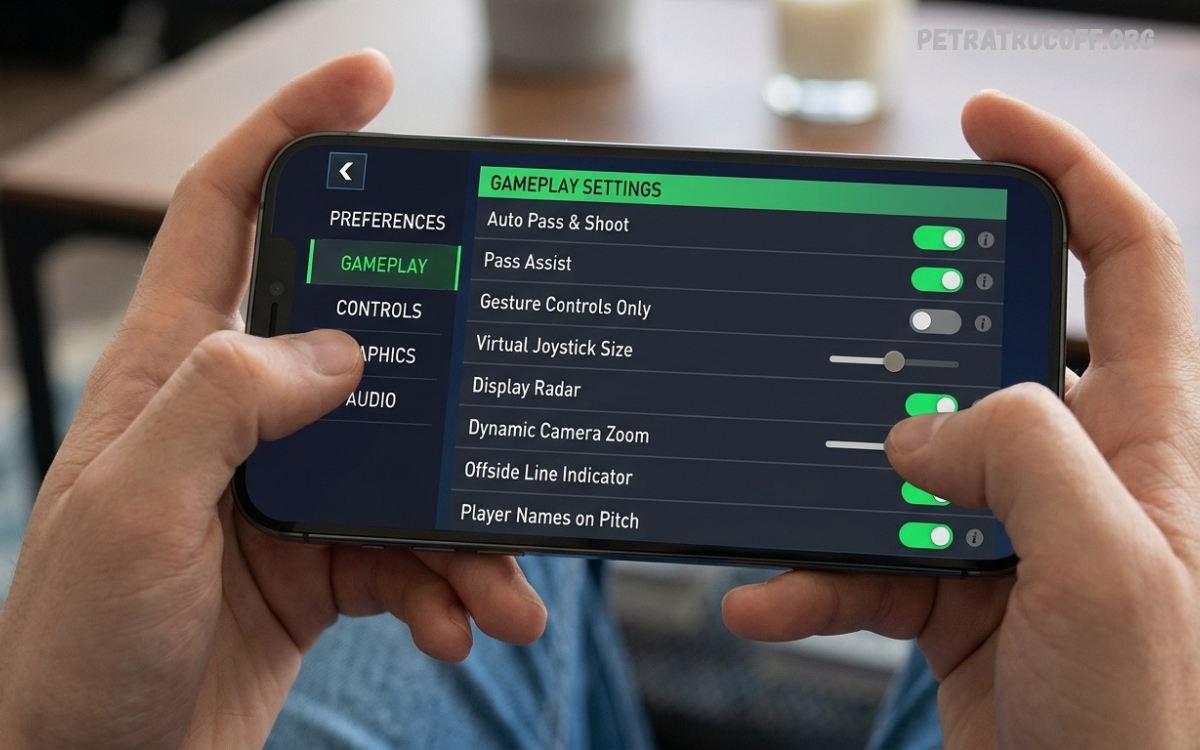
FC Mobile Gameplay Settings help players improve controls, passing, shooting, defending, and overall match performance. The right settings can smooth gameplay, reduce mistakes, and help you respond quickly in key moments.
Whether you are a beginner or an experienced player, adjusting the right options can improve your experience. Understanding each setting helps you develop better skills, control your squad effectively, and enjoy more competitive matches.
Why FC Mobile Gameplay Settings Matter
FC Mobile requires quick reactions, accurate passes, smart positioning, and effective shooting. Poorly adjusted controls can make simple actions difficult, especially when opponents apply pressure or defend aggressively. Suitable settings help you perform actions more comfortably.
The best configuration depends on your playing style, device, and personal preferences. Some players prefer manual controls, while others benefit from assisted options. Testing different configurations helps you discover a setup that feels natural and supports consistent performance.
Best FC Mobile Gameplay Settings for Beginners
Beginners should start with a simple configuration that makes movement, passing, and shooting easier to understand. Enable useful assistance options where available, practise basic controls, and avoid changing multiple settings during every match.
As your skills improve, experiment with more manual control options. This approach helps you understand how different settings affect player movement, ball direction, and defensive reactions without making gameplay unnecessarily complicated.
Best Control Settings for Smooth Gameplay
Control settings determine how players move, pass, shoot, sprint, and perform skill moves. Choose a control layout that allows comfortable access to important actions without covering too much of the screen or causing accidental button presses.
If your device supports different control layouts, test them during practice matches. A comfortable layout helps you react faster, maintain possession, and perform actions more accurately when the opponent challenges your players.
Button Controls Versus Gesture Controls
Button controls provide dedicated actions for passing, shooting, sprinting, and other movements. Players who prefer direct input often find buttons easier to learn because each action has a visible control that can be accessed quickly.
Gesture controls can provide an alternative way to perform certain actions, depending on the available game options. Try both methods if supported, then choose the one that offers better accuracy and comfort for your playing style.
Best Passing Settings for Accurate Ball Movement
Passing is essential for building attacks and maintaining possession in FC Mobile. Use a passing configuration that helps you select the intended teammate and control the direction of the ball without making unnecessary turnovers.
Practise short passes, through balls, and longer passes in different match situations. Avoid forcing the ball forward whenever possible. Patient passing creates space, moves defenders away from important areas, and provides better opportunities to reach the opponent’s goal.
How to Improve Through Passing
Through passes help attacking players move into open spaces behind defenders. Timing is important because a pass delivered too early or too late may allow the opposition to intercept the ball or catch the receiver offside.
Observe your attackers before releasing the ball and look for gaps between defenders. Combine through passes with controlled movement and smart positioning to create more dangerous attacking opportunities against organised defensive formations.
Best Shooting Settings for Better Finishing
Shooting settings influence how comfortably you execute attempts on goal. Depending on the available options, players may be able to adjust shooting assistance or choose between different input methods for controlling shots.
For better finishing, practise shooting from different distances and angles. Use powerful attempts when space is available, while controlled finishes can be more suitable near the goalkeeper. Good timing and player positioning remain important regardless of your chosen settings.
Power Shots and Finesse Shots
Power shots can help produce strong attempts when your player has enough space and time to prepare. However, defenders may block the attempt if you hold the ball too long or shoot from an unfavourable position.
Finesse shots can be useful when aiming around the goalkeeper, particularly from suitable angles. Learn when each technique works best, and avoid using the same shooting method in every situation because defenders can limit predictable attacking patterns.
Best Defending Settings for Stronger Defence
Defending requires concentration, positioning, and careful timing. Choose controls that allow you to switch players comfortably, track attacking runs, and challenge opponents without pulling your defenders away from important spaces.
Avoid rushing every opponent with aggressive tackles. Maintain your defensive shape, protect the space around your penalty area, and wait for a suitable moment to challenge for possession. Controlled defending often prevents dangerous chances more effectively than constant pressure.
Player Switching and Defensive Positioning
Player switching helps you control the defender closest to the immediate threat. Learning to switch at the correct moment allows you to follow attacking runs, close passing lanes, and prevent opponents from moving freely toward your goal.
Practise switching between defenders while keeping the back line organised. Instead of moving every player toward the ball, position your defenders to cover available passing options and protect the most dangerous areas around your penalty box.
Sprint and Movement Settings
Sprint controls help players accelerate during counterattacks, chase opponents, and create space on the wings. However, continuous sprinting can make precise movement more difficult and may cause players to lose control in crowded areas.
Use sprinting when open space is available, then release it before making close passes, changing direction, or entering the penalty area. Controlled movement helps maintain possession and gives you more time to choose the right attacking action.
Skill Move Settings for Better Attacking
Skill moves can help players escape defenders, change direction, and create shooting opportunities. The available moves and controls may vary according to the game version, player capabilities, and current gameplay options.
Choose a small selection of useful moves and practise them until the inputs feel comfortable. Use skill moves when they provide a clear advantage rather than performing them repeatedly, because unnecessary tricks can slow attacks and make possession easier to lose.
Graphics Settings for Smooth Performance
Graphics settings can influence how smoothly FC Mobile runs on your device. Higher visual quality may improve appearance, while lower graphics options can help some devices maintain more consistent performance during demanding matches.
Choose graphics options according to your device’s capabilities and the settings available in your game version. If you experience stuttering or overheating, reduce visual effects, then test performance again before making further adjustments.
Read Also: FC Mobile Tips and Tricks: Best Strategies to Improve Your Gameplay
How to Reduce Lag in FC Mobile
Lag can make passing, shooting, and defending feel delayed. Network problems, background applications, device temperature, and limited system resources may contribute to an inconsistent experience during online matches.
Close unnecessary applications, use a stable internet connection, and keep your game updated through official sources. If delays continue, compare performance across different network conditions to determine whether the problem comes from connectivity or device performance.
Best Camera Settings for Better Awareness
Camera settings affect how much of the pitch you can see during a match. A suitable view helps you identify open teammates, recognise defensive gaps, and understand the movement of players before making important decisions.
Experiment with available camera options during regular matches. Choose a view that balances pitch visibility with player detail, allowing you to track the ball while noticing attacking runs and defensive positions across the field.
Customising Settings for Your Playing Style
Different players benefit from different FC Mobile Gameplay Settings. Attack-focused players may prioritise comfortable passing, shooting, and skill move controls, while defensive players may prefer reliable switching and movement for maintaining a compact formation.
Avoid copying another player’s configuration without testing it yourself. Device size, finger placement, reaction speed, and preferred tactics can affect how a setup feels, so personalise your settings according to your own strengths and weaknesses.
Common Gameplay Setting Mistakes
Changing too many options at once makes it difficult to identify which adjustments actually improve your performance. Another common mistake is copying professional players’ configurations without considering differences in experience, device capabilities, or preferred playing style.
Make gradual adjustments and test each change across several matches. Avoid changing controls after every loss because mistakes can result from decision-making, tactics, or player positioning rather than the settings themselves.
How to Test Your FC Mobile Gameplay Settings
Start by selecting a comfortable control layout and testing basic movement, passing, shooting, and defending. Pay attention to missed passes, delayed reactions, accidental inputs, and situations where you struggle to select the intended player.
After identifying a problem, adjust the relevant option if the game provides one. Continue practising before making another change, since consistent testing helps you understand whether the new configuration genuinely improves your performance.
Keeping FC Mobile Gameplay Settings Updated
FC Mobile receives updates that may change gameplay mechanics, controls, menus, or available options. A configuration that feels comfortable in one version may require small adjustments after a major update or gameplay change.
Check the current in-game settings after installing updates and review official patch notes when necessary. Test important controls before competitive matches so you can identify changes and adapt without disrupting your normal playing routine.
Frequently Asked Questions
What Are the Best FC Mobile Gameplay Settings?
The best settings provide comfortable controls, accurate passing, reliable shooting, and effective defending. Start with a simple configuration, test the available options, and adjust them according to your device and playing style.
How Can I Improve Shooting in FC Mobile?
Practise shooting from different positions, learn when to use power or finesse shots, and avoid rushing attempts. Good positioning, timing, and shot selection are essential for creating better scoring opportunities.
Which Controls Are Better for FC Mobile?
Button controls may suit players who prefer direct input, while gesture controls can appeal to those who like alternative input methods. Choose the available control method that feels comfortable and produces consistent results.
How Can I Make FC Mobile Run More Smoothly?
Use suitable graphics settings, close unnecessary background applications, maintain a stable internet connection, and keep your device updated. Reducing demanding visual effects may help compatible devices deliver smoother gameplay.
Do Gameplay Settings Improve Winning Chances?
Suitable settings can make controls easier and reduce avoidable input mistakes. However, winning also depends on tactical decisions, player selection, positioning, practice, and the ability to respond effectively to opponents.
Should I Copy Professional FC Mobile Settings?
Professional configurations can provide useful ideas, but they may not suit every player. Test individual options and build a setup that matches your preferred controls, device, and level of experience.
Conclusion
FC Mobile Gameplay Settings can help you create a more comfortable and consistent playing experience. Adjusting controls, passing, shooting, defending, camera options, and graphics can make it easier to manage different match situations.
Focus on gradual improvements instead of searching for a single perfect configuration. Practise regularly, review your mistakes, and keep your settings comfortable as the game evolves.
