

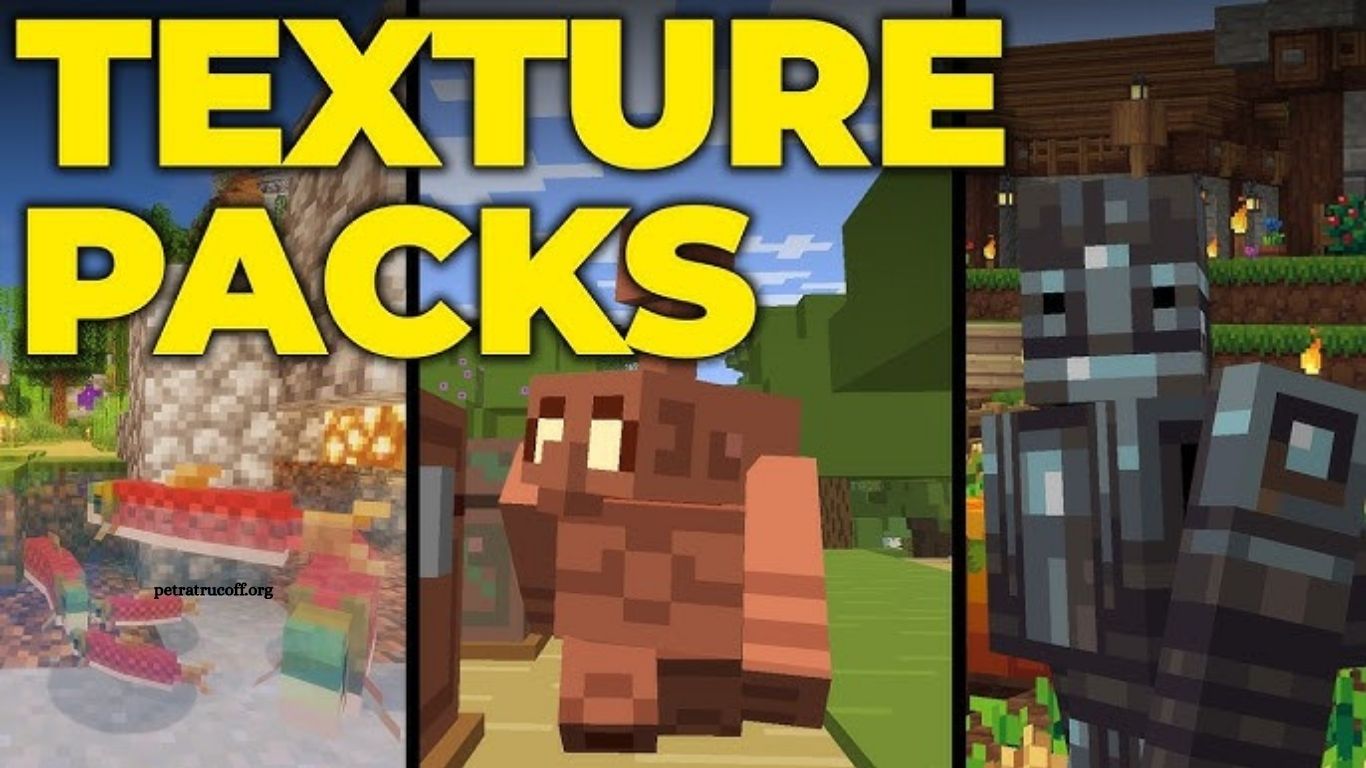
Minecraft gives players endless freedom to build, explore, fight, and create. While the classic visuals remain recognizable, texture packs can completely change the look and feel of the game. From realistic landscapes to colorful cartoon-style worlds, the right texture pack can make familiar environments feel fresh again.
Choosing a Minecraft texture pack depends on your preferred style, device performance, and Minecraft edition. Some packs focus on realistic details, while others improve the default textures without changing the original identity of the game. This guide explores some of the best Minecraft texture packs worth trying and explains what makes each option stand out.
Read More: How to Build a Safe Base in Minecraft
What Are Minecraft Texture Packs?
Minecraft texture packs are collections of custom textures that replace the game’s default visual assets. They can change blocks, items, mobs, GUI elements, weapons, tools, and other parts of the Minecraft world.
Modern Minecraft commonly uses the term resource pack, although many players still call them texture packs. Resource packs can offer anything from subtle visual improvements to complete artistic overhauls.
Why Use a Minecraft Texture Pack?
A good texture pack can give Minecraft a completely different atmosphere. Players can make their worlds look more realistic, colorful, medieval, minimalistic, or cartoon-inspired without changing the core gameplay.
Texture packs also provide a useful way to refresh an old survival world. Familiar builds can look noticeably different after installing a new visual style.
Performance also matters. Lightweight packs can improve the appearance of Minecraft without placing heavy demands on your computer. High-resolution packs, however, may require more graphics memory and processing power.
Faithful
Faithful remains one of the most popular choices for players who enjoy Minecraft’s original art style. The pack keeps the familiar textures while adding greater resolution and cleaner details.
The result feels like enhanced vanilla Minecraft rather than a completely different game. Players who want sharper blocks without changing the game’s personality may find Faithful an excellent choice.
It works particularly well for survival worlds, large building projects, and players who want improved visuals without learning a completely new visual style.
Stay True
Stay True builds on Minecraft’s traditional appearance while adding subtle improvements to blocks, items, and environments. The pack focuses on maintaining the recognizable Minecraft aesthetic rather than replacing it.
Textures receive more variation and detail, giving forests, buildings, caves, and villages a more polished appearance.
Stay True can be a strong option for players who want Minecraft to look better while still feeling like the original game.
Bare Bones
Bare Bones takes a completely different approach. Instead of adding more detail, it simplifies textures and creates a clean, colorful appearance.
The pack is inspired by the visual style associated with official Minecraft promotional artwork. Blocks have simple shapes, strong colors, and minimal visual noise.
Bare Bones works especially well for players who prefer a bright and clean world. It can also make screenshots and creative builds look more visually consistent.
ModernArch
ModernArch targets players who want highly detailed and realistic Minecraft visuals. Its textures introduce realistic materials, surfaces, lighting details, and environmental elements.
Wood, stone, metal, bricks, and other materials can look dramatically different compared with the default game.
High-resolution versions require capable hardware, making ModernArch better suited to gaming PCs with sufficient graphics memory. Players using entry-level systems may prefer a lower-resolution alternative.
PureBDCraft
PureBDCraft brings a distinctive comic-book-inspired appearance to Minecraft. Textures use bold outlines, vibrant colors, and detailed surfaces to create a visual style that stands apart from standard Minecraft.
The pack can work particularly well for adventure maps, creative builds, and players who enjoy a more stylized experience.
Its unique design also makes screenshots easier to recognize because the world has a strong visual identity.
Mizuno’s 16 Craft
Mizuno’s 16 Craft offers a warm, detailed aesthetic while keeping textures relatively compact. The pack is popular among players who enjoy cozy builds, villages, farms, and survival bases.
Its textures add personality without making Minecraft look excessively realistic. Wood, plants, furniture-style blocks, and decorative elements can create a welcoming atmosphere.
Players building cottages, medieval villages, farms, or fantasy-inspired settlements may particularly enjoy this style.
Sphax PureBDCraft
Sphax PureBDCraft is another well-known option for players seeking a comic-inspired Minecraft experience. It replaces the traditional textures with detailed, colorful designs and strong outlines.
The pack can make structures look more polished and environments more vibrant. It is especially interesting for players who want their Minecraft world to feel visually different without using shaders.
John Smith Legacy
John Smith Legacy focuses on a medieval and rustic appearance. Its darker colors, detailed blocks, and traditional textures can transform ordinary Minecraft villages and castles into more atmospheric environments.
The pack works well for medieval builds, fantasy worlds, castles, fortresses, and role-playing projects.
Players who enjoy historical or fantasy architecture may find this pack particularly suitable for long-term building projects.
Dokucraft
Dokucraft offers several visual styles, making it a flexible option for players who enjoy fantasy-inspired Minecraft. Its detailed textures can create a darker and more atmospheric world.
The pack is especially suitable for medieval structures, fantasy adventures, castles, and role-playing maps.
Different versions and variations allow players to choose an appearance that matches their preferred Minecraft experience.
How to Choose the Best Minecraft Texture Pack
The best texture pack depends largely on your hardware and preferred visual style. A realistic 512x or higher-resolution pack may look impressive, but it can demand significantly more system resources than a 16x or 32x pack.
Players with low-end PCs should consider lightweight packs with smaller resolutions. Mid-range systems can usually handle moderate-resolution packs, while powerful gaming PCs can experiment with high-resolution textures.
Your building style also matters. Medieval packs are ideal for castles and villages, while simple packs may suit modern cities and large-scale survival bases.
Texture Pack Resolution Explained
Resolution refers to the number of pixels used to represent textures. Common Minecraft texture pack resolutions include 16x, 32x, 64x, 128x, 256x, and higher.
The default Minecraft texture resolution is relatively low, which helps the game run smoothly across a wide range of devices.
Higher resolutions can provide more detail, but they can also increase memory usage. Choosing a texture pack that matches your hardware can help maintain smoother gameplay.
Texture Packs vs Shaders
Texture packs and shaders are different tools. A texture pack changes the appearance of blocks, items, mobs, and other visual assets. Shaders primarily modify lighting, shadows, reflections, water effects, clouds, and other rendering effects.
Using both can create a major visual transformation, although the combination can require significantly more GPU power.
Players with modest hardware may get better performance by using a lightweight texture pack without demanding shaders.
How to Install a Minecraft Texture Pack
Installing a texture pack is relatively straightforward. Download a compatible resource pack, open Minecraft, and access the Resource Packs section through the game’s settings.
Move or import the downloaded pack according to your Minecraft edition and platform. Once Minecraft recognizes the pack, activate it from the available resource pack menu.
Always make sure the texture pack supports your Minecraft version. Packs designed for different versions may contain missing textures or compatibility problems.
Are Minecraft Texture Packs Safe?
Minecraft texture packs from reputable sources are generally safe, but players should still be careful when downloading files online.
Avoid suspicious websites, executable installers, and files that request unnecessary permissions. Resource packs normally use formats such as ZIP and should not require random programs to install.
Checking the pack’s version compatibility and community reputation can also reduce the chance of encountering problems.
Frequently Asked Questions
What is the best Minecraft texture pack?
Faithful is a popular choice for players who want sharper textures while keeping Minecraft’s original visual style.
Are Minecraft texture packs free?
Many Minecraft texture packs are available for free, while some premium packs require payment.
Do texture packs affect Minecraft performance?
Yes. High-resolution packs can use more system resources, while lightweight packs usually have a smaller performance impact.
Which texture pack is best for low-end PCs?
Bare Bones and other low-resolution packs are good options for players using lower-end hardware.
Can texture packs work with shaders?
Yes. Texture packs can be combined with shaders to create a more dramatic visual experience.
Are Minecraft texture packs safe?
Texture packs from trusted sources are generally safe. Avoid suspicious downloads and unknown executable files.
Conclusion
The best Minecraft texture packs can give your world a fresh appearance without changing the core gameplay. From Faithful’s enhanced vanilla look to Bare Bones’ clean design and ModernArch’s realistic visuals, there is an option for every player. Choose a pack based on your preferred style, Minecraft version, and device performance. A suitable texture pack can make building, exploring, and surviving feel more immersive and enjoyable.

1 comentario
Pingback: Minecraft Redstone Projects for Beginners - PetraTrucoff