

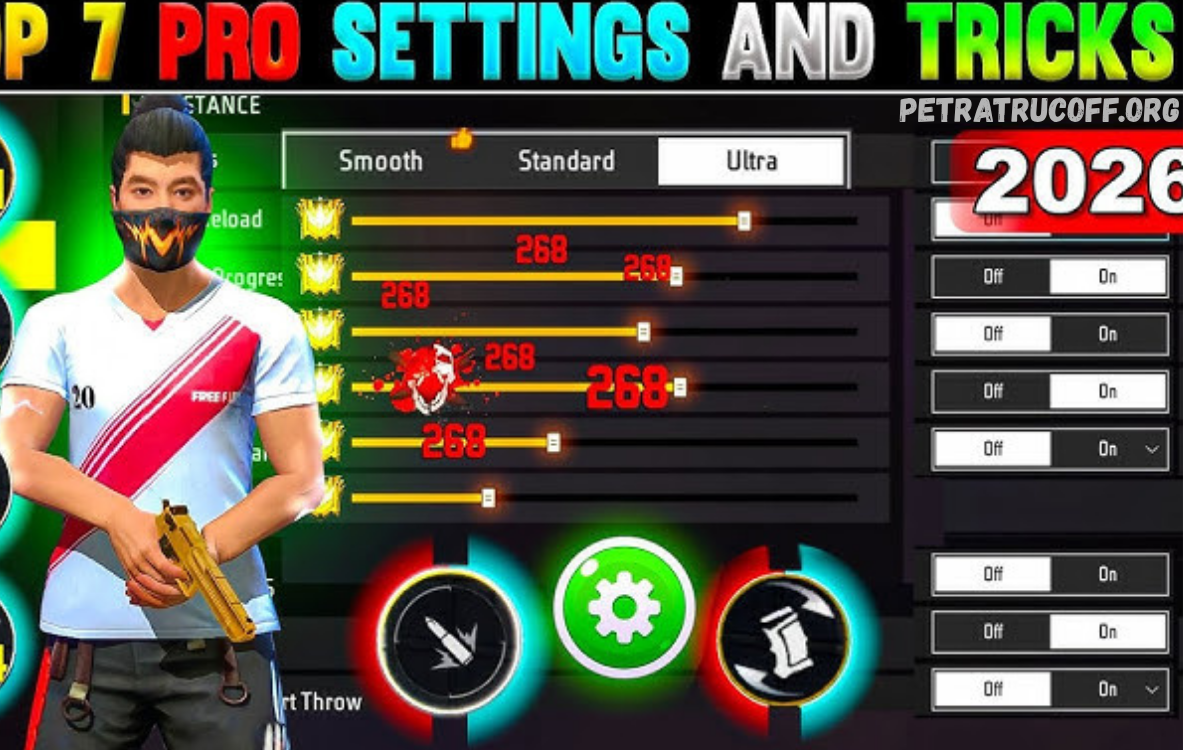
Landing accurate headshots is one of the most effective ways to dominate matches in Free Fire. While individual skill and practice are essential, the right game settings can significantly improve your accuracy, reaction time, and overall performance. Every professional player spends time optimizing sensitivity, controls, graphics, and HUD layout to create a smooth gaming experience.
The Best Free Fire Settings for Headshots (2026) are designed to help players achieve faster aim, better recoil control, and higher headshot percentages. Whether you are a beginner learning the basics or an experienced player looking to improve your rank, adjusting your settings can make a noticeable difference.
Why Do Settings Matter in Free Fire?
Many players believe expensive devices automatically improve gameplay. In reality, properly optimized settings often have a greater impact than hardware alone.
Benefits of optimized settings include:
- Faster aim response
- Improved recoil control
- Better headshot accuracy
- Smoother movement
- Reduced input delay
- More consistent gameplay
- Improved reaction time
The correct settings allow your movements to become natural, making flick shots and drag headshots much easier.
Best Free Fire Settings for Headshots (2026)
These settings provide an excellent balance between accuracy and speed.
General Settings
- Aim Precision: Default
- Quick Weapon Switch: On
- Quick Reload: On
- Auto Pickup: On
- Auto Revive: On
- Damage Numbers: On
- Left Fire Button: Always
- Hold Fire to Scope: Off
These options improve overall responsiveness during combat.
Best Sensitivity Settings
Sensitivity plays the biggest role in landing headshots.
Recommended settings:
- General: 195
- Red Dot: 185
- 2x Scope: 175
- 4x Scope: 160
- Sniper Scope: 90
- Free Look: 75
These settings offer fast movement while maintaining precise aim.
Low-End Devices
- General: 200
- Red Dot: 190
- 2x Scope: 180
- 4x Scope: 165
- Sniper Scope: 95
Mid-Range Devices
- General: 195
- Red Dot: 185
- 2x Scope: 175
- 4x Scope: 160
- Sniper Scope: 90
High-End Devices
- General: 185
- Red Dot: 175
- 2x Scope: 165
- 4x Scope: 150
- Sniper Scope: 85
Experiment slightly to match your device and playing style.
Best HUD Layout
A customized HUD makes aiming much easier.
Recommended layout:
- Fire Button: 48–52%
- Jump Button: 42%
- Crouch Button: 44%
- Scope Button: Near fire button
- Gloo Wall Button: Easily accessible
- Weapon Switch: Lower right corner
A larger fire button improves drag headshots.
Graphics Settings
For competitive gameplay:
- Graphics: Smooth
- High FPS: High
- Shadow: Off
- Visual Effects: Low
- Brightness: 100%
Higher frame rates result in smoother aim and better tracking.
Best DPI Settings
Android users can optimize DPI.
Recommended DPI:
- 400 DPI
- 420 DPI
- 450 DPI
Avoid extremely high DPI because it makes aiming unstable.
Best Crosshair Placement
Professional players rarely aim at the ground.
Always keep your crosshair:
- At head level
- Around corners
- Near enemy positions
- Ready before engaging
Good crosshair placement reduces aiming adjustments.
Best Weapons for Headshots
Some weapons naturally excel at headshots.
Top choices include:
- M1887
- MP40
- Woodpecker
- AC80
- Desert Eagle
- M500
- SKS
- Groza
Mastering these weapons increases your elimination rate.
Headshot Drag Technique
The drag shot remains one of the best techniques.
Steps:
- Aim at the enemy’s chest.
- Fire immediately.
- Drag your finger upward smoothly.
- Stop after the headshot lands.
Practice this movement consistently.
Best Training Routine
Daily practice improves muscle memory.
Suggested routine:
- 15 minutes in Training Ground
- Practice drag shots
- Practice flick shots
- Practice movement while shooting
- Practice weapon switching
- Play Clash Squad before Battle Royale
Consistency is more important than long sessions.
Read Also: Slot Depo 5K The Complete Guide to Affordable Online Slot Gaming
Improve Reaction Time
Fast reactions win close-range fights.
Tips:
- Use wired or low-latency earbuds.
- Enable High FPS.
- Close background apps.
- Avoid overheating.
- Maintain stable internet.
Device Optimization
Before playing:
- Restart your phone.
- Clear RAM.
- Enable Game Mode.
- Charge above 40%.
- Disable battery saver.
- Turn off unnecessary notifications.
Smooth performance leads to better aim.
Common Mistakes
Avoid these errors:
- Using copied settings without testing
- Constantly changing sensitivity
- Extremely high DPI
- Playing with low FPS
- Ignoring crosshair placement
- Overusing scope in close fights
- Poor movement during combat
Fixing these habits improves performance quickly.
Advanced Tips
Professional players also:
- Peek before shooting.
- Use jump shots carefully.
- Crouch during sprays.
- Master Gloo Wall placement.
- Learn recoil patterns.
- Train with multiple weapons.
- Watch gameplay to identify mistakes.
Small improvements compound over time.
Settings for Different Play Styles
Aggressive Players
- High General Sensitivity
- Large Fire Button
- Smooth Graphics
- High FPS
Balanced Players
- Medium Sensitivity
- Balanced HUD
- Moderate DPI
Long-Range Players
- Lower Scope Sensitivity
- Stable Crosshair
- Precise Drag Control
Choose settings that complement your style.
Frequently Asked Questions
What is the best General Sensitivity for headshots?
A value between 185 and 200 works well for most players, depending on the device and screen size.
Does DPI improve headshots?
DPI can improve touch responsiveness on Android devices, but it should be paired with the right sensitivity and regular practice.
Which graphics settings are best?
Smooth graphics with High FPS generally provide the best competitive experience.
Which weapon gives the easiest headshots?
The M1887, Woodpecker, AC80, and Desert Eagle are among the most reliable weapons for landing headshots.
Should I copy professional players’ settings?
Professional settings are a useful starting point, but you should adjust them to suit your device and comfort.
Conclusion
Finding the Best Free Fire Settings for Headshots (2026) is about optimizing your game for speed, precision, and consistency. The right sensitivity, HUD layout, graphics configuration, and device settings can make aiming feel more natural and improve your chances of landing accurate headshots.
However, settings alone are not enough. Consistent practice, proper crosshair placement, good movement, and familiarity with your favorite weapons are what turn good players into great ones.
